The government tender process in India, step by step

Almost every government purchase in India above a small threshold now happens online, through an e-procurement portal — you find the tender, submit a digitally-signed bid, and the system opens and evaluates it on fixed dates. The process looks intimidating because it has many moving parts, but it is the same sequence every time. This guide walks the whole journey end to end — from registering and getting a Class 3 DSC, to reading the NIT, submitting the two-cover bid, and winning the award — so you can bid with confidence and stop losing on avoidable technicalities.
- Set up once: register your business, get a Class 3 DSC, enrol on the portals (GeM, CPPP/eprocure, your state's GePNIC site) and — if eligible — your Udyam (MSME) registration.
- Per tender: find it → read the NIT and BoQ → meet eligibility → pay/claim EMD → submit a two-cover (technical + financial) bid before the deadline.
- After submission: the technical bid is opened first; only qualified bidders' prices are opened; the lowest evaluated bid (L1) usually wins works contracts.
- On winning: you get a Letter of Acceptance, submit a performance security, and sign the agreement.
How government e-procurement works in India
When a government department, PSU or local body wants to buy works, goods or services, it publishes a Notice Inviting Tender (NIT) — a public advertisement of what it needs, who can bid and by when. The rules behind all of this are the General Financial Rules (GFR 2017) and the procurement manuals, which is why the process is broadly uniform across the country.
Today the NIT and the entire bid exchange happen on one of a few e-procurement platforms:
| Platform | What it's for | You'll meet it as |
|---|---|---|
| GeM | Goods & services marketplace (the government's Amazon) | gem.gov.in — bids & direct purchase |
| CPPP | Central Public Procurement Portal — aggregates central NITs | eprocure.gov.in |
| GePNIC (state & central) | The NIC e-procurement software that runs ~25 state portals + central eprocure | e.g. mahatenders, etenders.up, jharkhandtenders… |
| Sector portals | Railways, defence, PSUs, mining | IREPS, MSTC, Defence eProc, etc. |
Each portal does the same four jobs: publish the tender, let you download the documents, take your digitally-signed and encrypted bid, and open the bids on a fixed date so no one — not even the department — can see your price early. That tamper-proofing is the whole point of e-tendering, and it's why a Class 3 DSC is non-negotiable.
The seven stages, at a glance
Every tender — a ₹2 lakh repair job or a ₹2,000 crore highway — moves through the same sequence.

Step 1 — Register and get set up
Do this once. Until it's done you cannot legally submit a single online bid.
Your business & documents
Bid as a legal entity — proprietorship, partnership, LLP, company or society. Keep these ready, because the portals and tenders ask for them constantly: PAN (of the firm), GST registration, a bank account in the firm's name (for EMD and refunds), and proof of constitution. For most works tenders you'll also need past work-completion certificates and audited financials / turnover to clear eligibility.
A Class 3 Digital Signature Certificate (DSC)
Every online bid must be digitally signed and encrypted, which needs a Class 3 DSC on a USB token, issued by a licensed Certifying Authority (eMudhra, (n)Code, Capricorn, SafeScrypt, etc.). With Aadhaar e-KYC it can be issued in under an hour. Get a combined signing + encryption certificate, and renew it before it expires — an expired DSC is one of the most common reasons a bid simply can't be submitted on the last day.
Enrol on the portals — and register the DSC
Create a bidder/vendor account on each portal you'll use: GeM for goods & services, CPPP/eprocure and your state's GePNIC site for works. Enrolment is free; after signing up you map (register) your DSC to the account so the portal can verify your signature at bid time. Do this well before any deadline — first-time enrolment plus DSC mapping can take a day to settle.
Udyam (MSME) registration
If you qualify as a Micro or Small enterprise, Udyam registration is free and unlocks real money: exemption from EMD and tender-document fees, a 25% procurement reservation, and a price-preference band. It pays for itself on the very first bid.
Step 2 — Find the right tender
With the setup done, the real game is finding tenders you can actually win. Don't chase everything — filter for fit on three axes:
- Capability fit — does the scope match what you've built or supplied before? Eligibility usually demands similar completed work.
- Financial fit — can you clear the turnover, net-worth and EMD requirements, and fund the job until you're paid?
- Geography & timeline — is the location workable, and is the bid window long enough to prepare properly?
You can search each portal individually, or use an aggregator. On BidEasy's live feed you can filter ~70,000+ live tenders by sector, state, value band and work type in one place — then click through to bid on the official portal. Set yourself a routine: scan new tenders by keyword and value band, shortlist, and act early.
Step 3 — Read the tender document properly
The single biggest source of lost bids is not reading the document carefully. Treat it as the contract — because it is.
A tender pack has the NIT (the summary notice), the Instructions to Bidders (ITB), the eligibility / qualification criteria, the scope & specifications, the Bill of Quantities (BoQ) or price schedule, and the contract conditions. Pull out these fields first — they decide whether you bid at all:
| Field | Why it matters |
|---|---|
| Estimated value (ECV) | The job's size — and the basis for EMD, fees and eligibility thresholds. |
| EMD | The bid security you must furnish (or claim exemption from). What is EMD → |
| Tender / document fee | A (usually small, often non-refundable) fee to participate; MSEs are typically exempt. |
| Eligibility criteria | Similar-work experience, turnover, net worth, registrations — a single miss means rejection. |
| Key dates | Document download, pre-bid meeting, clarification window, bid submission end, and opening dates. |
| BoQ / price schedule | Exactly what you must rate — and in what format. The contract model shows up here. |
| Bid validity & completion period | How long your price must hold, and how long you have to finish. |
Step 4 — The pre-bid stage
Between publication and submission there's a window to get clarity and catch changes — use it:
- Raise clarifications in the official query window if anything in the scope, eligibility or BoQ is ambiguous. Answers are issued to all bidders.
- Attend the pre-bid meeting (online or in person) where the department explains the work and addresses questions — it often signals what they really want.
- Track corrigenda. Departments frequently issue a corrigendum — an amendment that changes dates, eligibility, quantities or specifications. A corrigendum overrides the original document, and missing one (e.g. an extended deadline or a revised criterion) can sink an otherwise good bid.
Step 5 — Prepare and submit your bid
Most works and high-value tenders use a two-cover (two-envelope) structure. Get the two covers right and you've cleared the hardest part.
The technical bid
Everything that proves you're qualified and compliant: eligibility documents (experience certificates, turnover, registrations), the EMD proof or exemption, technical compliance to the specs, and all the forms the tender prescribes — in the exact formats given. No prices go here.
The financial bid
Your priced BoQ / price schedule — and nothing that reveals price anywhere else. This cover is kept sealed (encrypted) and is only opened later, for bidders who pass the technical stage.
Furnish the EMD
Pay the Earnest Money Deposit the way the tender allows — increasingly online (net-banking / NEFT / a bank guarantee), or claim MSE exemption with your Udyam certificate. Get this right: a missing or wrong-format EMD is a hard rejection at the technical stage.
Sign, encrypt and upload — before the clock runs out
Use your Class 3 DSC to digitally sign each document and let the portal encrypt the financial cover. Then submit well before the deadline. The portal closes to the second; a large upload over a weak connection, or leaving it to the final ten minutes, is how good bids die. Aim to submit a day early and keep the system-generated acknowledgement.
Step 6 — Bid opening and evaluation
After the deadline, bids are opened on the published dates — transparently, with bidders able to watch online.
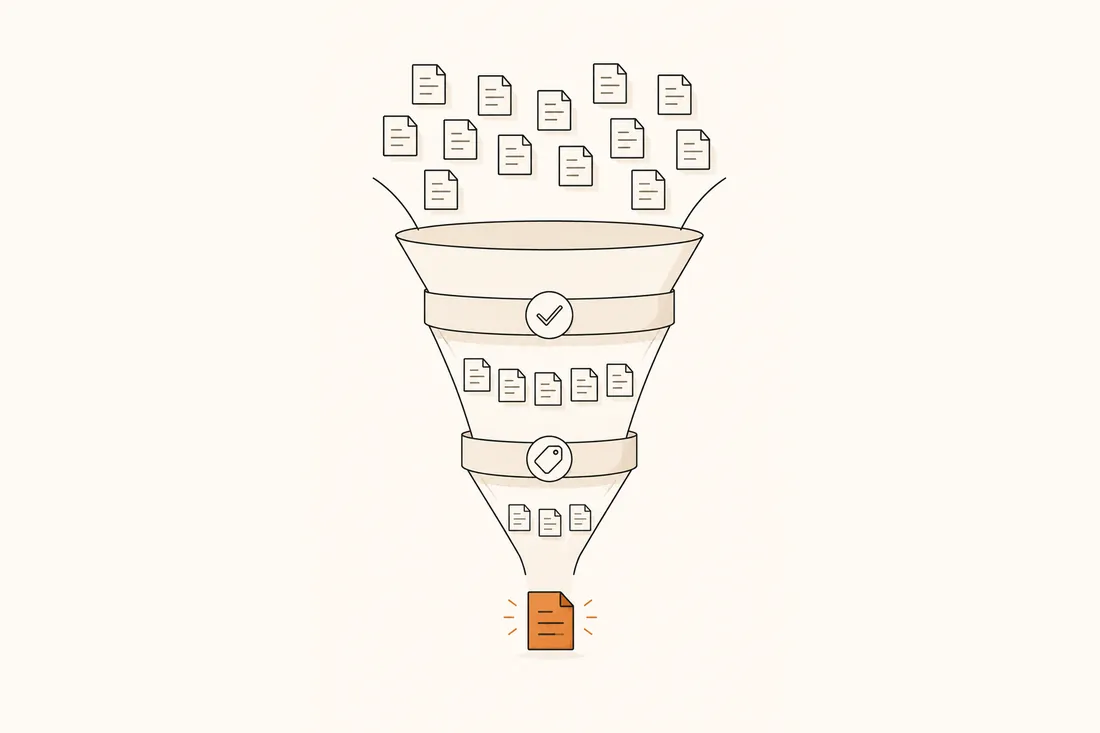
- Technical opening & evaluation: the technical covers are opened and checked against the eligibility and compliance criteria. Bidders who fall short are knocked out here.
- Financial opening: only the technically-qualified bidders' financial covers are opened, on a separate announced date.
- Determining the winner: for most works and goods the lowest evaluated bid — L1 — wins. For consultancy, selection is often QCBS (Quality-and-Cost-Based), combining technical score and price, so the cheapest does not automatically win.
Step 7 — Award and what follows
The winning bidder is issued a Letter of Acceptance (LOA) / award. Before work starts you typically must:
- Submit a performance security / performance bank guarantee (commonly ~3–10% of the contract value) — increasingly accepted as a surety bond.
- Sign the contract agreement and complete any pre-commencement formalities.
- Get your EMD released / refunded (it is returned to unsuccessful bidders, and to you once the performance security is in place).
The result is published as an Award of Contract (AOC). From there it's execution, running bills, and — on completion and the defect-liability period — release of the performance security.
A typical timeline
Indicative only — every tender sets its own dates, so always go by the NIT.
| Stage | Typical window |
|---|---|
| NIT published → bid submission ends | ~2–4 weeks (longer for large/EPC works) |
| Pre-bid meeting | ~1 week after publication |
| Technical opening | Same day or 1 day after submission closes |
| Technical evaluation | Days to a few weeks |
| Financial opening | After technical results are declared |
| Award (LOA) & agreement | Weeks after financial opening |
Start with the tenders you can win
70,000+ live tenders across 30+ portals — filter by sector, state, value and work type, free, no login.
Why bids get rejected (and how to avoid it)
Most rejections are not about price — they're avoidable process errors:
- Missing or wrong-format documents — a required certificate absent, or not in the prescribed form.
- EMD missing, short, or in the wrong instrument — and no valid exemption attached.
- Expired or unmapped DSC — discovered, fatally, on the last day.
- Price revealed in the technical cover — breaches the two-cover seal.
- Eligibility not met — similar-work, turnover or net-worth criteria missed.
- Late submission — the portal closed before the upload finished.
- Bidding the old version — a corrigendum changed something you didn't catch.